
You are choosing between CTR.bot and CTRTool, and the geo-targeting details decide it. Click campaigns that ignore GA4 filtering or miss the city level waste daily search counts on traffic your analytics never credits.
This comparison covers geo-targeting depth, screenshot proof per visit, campaign coverage across Search, Maps and AI Overviews, and pricing. You will finish with a clear verdict on which tool fits your campaigns, plus a pre-purchase checklist for GA4-friendly CTR manipulation.
Quick Verdict: CTR.bot vs CTRTool for GA4-Friendly Geo-Targeting
CTRTool wins on proof and geo-targeting depth for GA4-conscious SEOs, while CTR.bot appeals to buyers who prioritize lower entry pricing and broader automation. For anyone running CTR manipulation campaigns that must survive scrutiny inside Google Analytics 4, verifiable location matching and per-visit evidence matter more than a long feature menu. This verdict rests on publicly available feature and pricing information, not on hands-on testing of either platform.
The core difference sits in how each tool handles location. CTRTool lets you target a chosen country with an optional state and city, and visits that cannot verify the requested location use no credits. That last detail matters for GA4 reporting, because a campaign that quietly lands in the wrong region pollutes your geo breakdowns.
CTR.bot is marketed as a CTR automation tool with geo-targeting claims. Buyers should verify how precisely it matches country, state, and city during a trial rather than assuming parity with a tool built around location verification.
| Criteria | CTRTool | CTR.bot |
|---|---|---|
| Geo-targeting (country, state, city) | Target a chosen country plus optional state and city; unverifiable locations consume no credits | Marketed with geo-targeting claims; precision should be confirmed in a trial |
| Proof per visit | Screenshot proof for every visit, with search and landing screenshots as separate proof images, plus full visit paths | Not specified in public material; ask for sample visit reports |
| Campaign coverage | Up to 100 campaigns with 100 keywords each; Desktop or Mobile CTR choice per campaign; one shared credit balance across campaign types, websites, and keywords | Described generally as a CTR automation platform; confirm campaign and keyword limits before committing |
| Pricing entry point | Pay-for-results credit model; no credits charged for technical failures before landing; unused credits roll over while subscribed | Positioned around lower entry pricing; verify current plans directly |
| GA4 compatibility considerations | Location verification and full visit paths support cleaner geo and engagement data; visits run up to 5 minutes with up to 5 additional internal pages | Evaluate whether its traffic supports realistic session duration and engagement metrics in GA4 |
Two rows deserve a closer look. First, proof per visit: CTRTool's separate search and landing screenshots let you audit that a click came from the right query and reached the right page, which is exactly what you need when reconciling campaign activity against SERP behavior. Second, campaign control: choosing Desktop or Mobile CTR per campaign keeps your device split from looking artificial in traffic analytics.
CTR.bot may still suit buyers who want broader automation at a lower entry point, and that is a fair trade-off to weigh. Just treat its geo-targeting as a claim to test, not a given.
Recommendation for proof-focused SEOs: choose CTRTool if verifiable geo-targeting and per-visit evidence are non-negotiable. Recommendation for budget-first buyers: trial CTR.bot and confirm its location matching before scaling any campaign.
At a glance: how CTRTool compares to CTR.bot on the features that matter most.
| Feature | CTRTool | CTR.bot |
|---|---|---|
| Pricing | $59-$699/mo | — |
| Free plan / trial | ✗ | — |
| Screenshot proof per visit | ✓ | — |
| Supported platforms | Google, Bing, Maps, AI | — |
| Location targeting | Country/state/city | — |
| Pay-per-result credits | ✓ | — |
| Ranking guarantee | ✗ | — |
| Documented integrations/support | Email support | — |
What Is CTRTool?
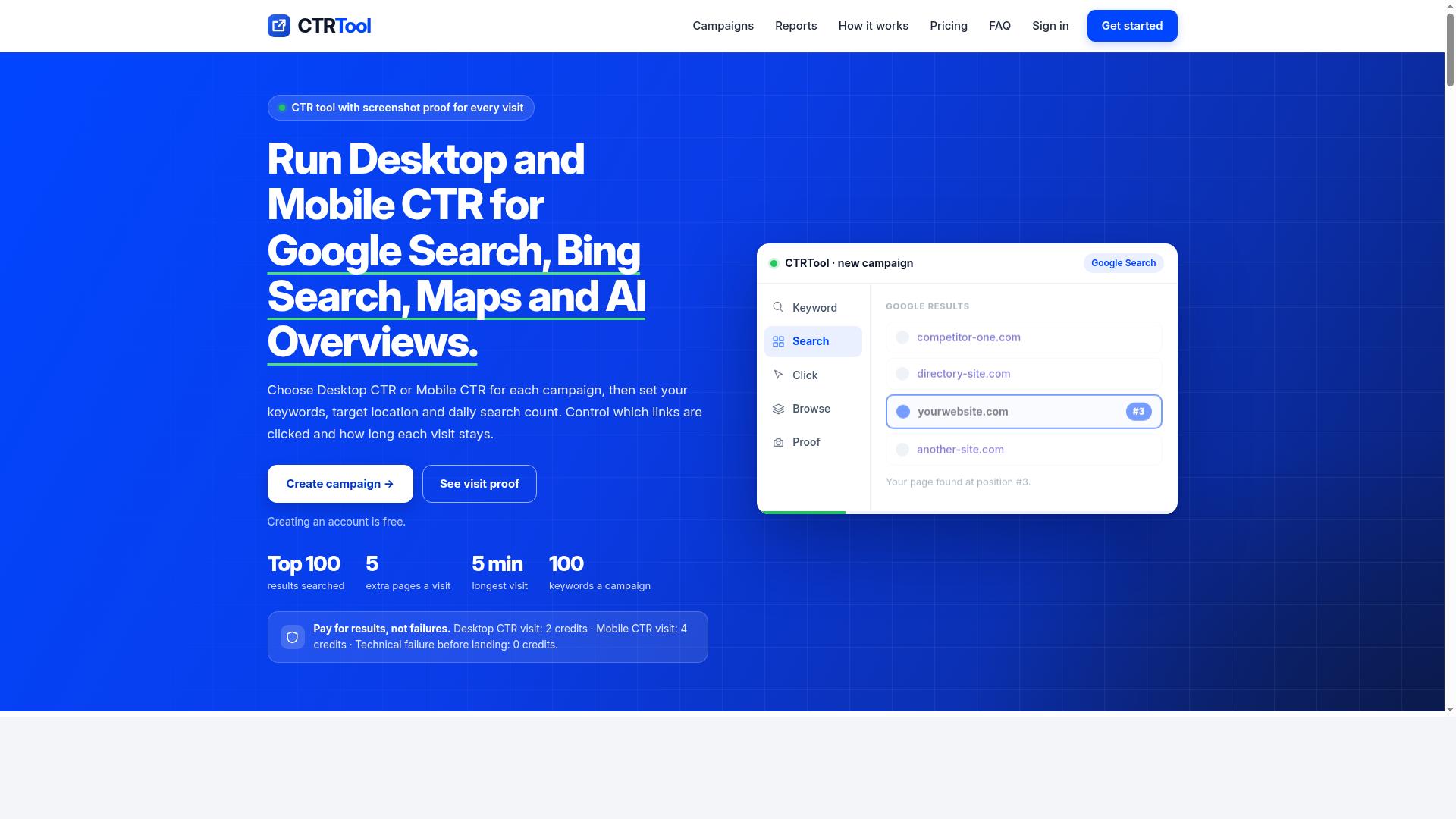
CTRTool is a CTR campaign tool that runs Desktop and Mobile CTR campaigns for Google Search, Bing Search, Maps and AI Overviews, and provides screenshot proof for every visit. It is built for SEO practitioners and agencies running campaigns for their own sites or for client properties.
The core purpose is straightforward: run CTR campaigns where each visit can be verified, rather than sending traffic that leaves no trace. Every campaign produces screenshot proof, so results can be reviewed and shown to a client when needed.
Campaign setup follows the same logic across every type. Users choose Desktop CTR or Mobile CTR per campaign, define keywords, set a target location and daily search count, and control which links are clicked and how long each visit stays.
CTRTool supports four campaign types, each matched to a different surface where click-through rate matters:
- Google Search CTR campaigns, aimed at standard organic results
- Bing Search CTR campaigns, for the Bing results page
- Google Maps CTR campaigns, for local listings
- AI Overview campaigns, for citations inside AI-generated answers
Each campaign type carries its own eligibility check before it can run. A search campaign requires the page to appear within the top 100 organic results for the chosen keyword and location. Maps campaigns check up to 50 listings, and AI Overview campaigns need a matching citation.
Those checks matter for anyone weighing CTR manipulation as part of a geo-targeting strategy. If a page is not eligible for the keyword and location, a campaign cannot simply be pointed at it. This keeps activity tied to pages that already have some footing in the results.
The brand is also direct about limits. The site states that automated visits do not guarantee rankings, which sets a realistic expectation for agencies building this into an SEO strategy.
For readers comparing tools, the practical takeaway is that CTRTool frames itself around verifiable visits and eligibility rules rather than volume alone. That combination is what the rest of this comparison examines against CTR.bot's approach to geo-targeting and GA4-friendly traffic.
What Is CTR.bot?
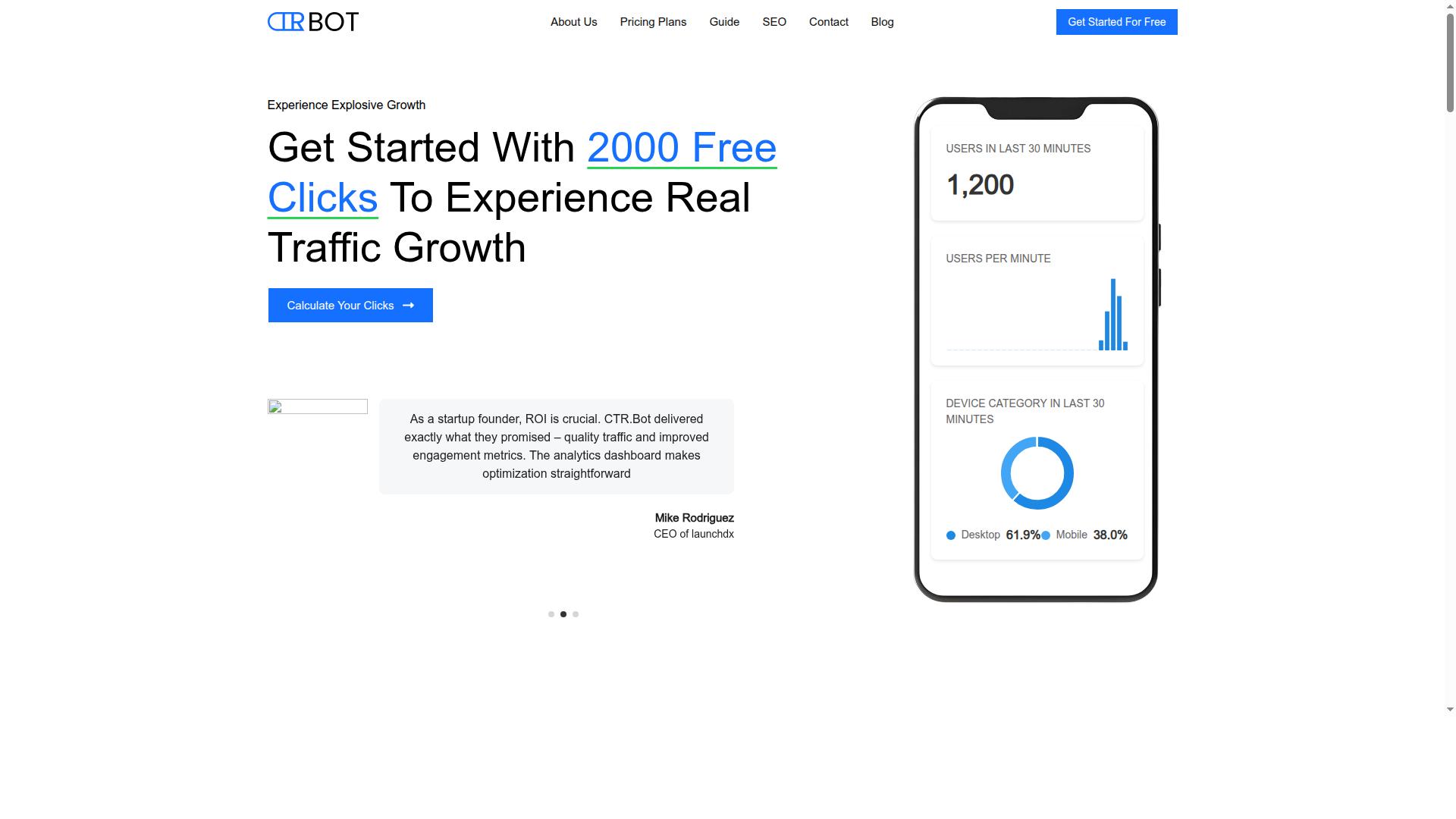
CTR.bot is a separate CTR automation service that markets click-based traffic campaigns, and its exact feature set and pricing should be confirmed directly with the vendor before purchase. It belongs to the same broad category of traffic generation tools used for CTR manipulation, where automated clicks are sent toward target pages to influence click-through rate signals.
Public descriptions of such services tend to emphasize click delivery and campaign controls, but the details that matter most for GA4-friendly geo-targeting are rarely spelled out in marketing copy. Readers should verify specifics such as geo-location control, proxy type, and reporting depth during a trial or a sales call rather than relying on landing page claims.
Pay particular attention to whether the service documents how it handles residential proxies, IP rotation, and user-agent rotation, since those choices affect how traffic appears inside Google Analytics 4. Ask for a sample report showing sessions, engagement metrics, and geographic breakdowns before committing.
Treat any vendor in this space, including CTR.bot, as one option to evaluate on evidence rather than reputation. A neutral comparison against other tools, including CTRTool, should start from verified capabilities and transparent reporting.
Features Compared
This section compares the two tools across the three features that most affect GA4-friendly geo-targeting: targeting depth, per-visit proof, and campaign coverage. Each criterion is judged on how well it supports clean, verifiable traffic that lines up with Google Analytics 4 reports.
All CTRTool details below come from its published site and verified product information. CTR.bot details are described generally, so confirm its exact specifications on its own documentation before relying on them.
The three subsections that follow move from where visits originate, to how they are documented, to which surfaces they touch. Read together, they show how targeting choices flow into GA4 geo dimensions and session data.
Geo-Targeting Depth: Country, State and City Control
CTRTool lets you target a chosen country and optionally a state and city, or select "Any country" to use a mix of supported locations, which matters for local SEO and multi-region campaigns. Visits that cannot verify the requested location use no credits.
That granularity is what makes GA4 analysis workable. A city-level campaign can be matched against GA4's geo reports, while state-level targeting helps isolate regional demand without mixing in unrelated traffic. Delivery runs through Desktop Chrome windows and real Android phone sessions matched to the target location through managed proxy routes.
CTR.bot advertises geo-targeting, but buyers should confirm whether state and city-level control are included, and which proxy types (residential versus datacenter) back the targeting. Those details affect how closely visits align with GA4's geographic dimensions.
Use this checklist before committing to either tool:
- Verify proxy location coverage for the specific country, state or city you need
- Confirm how IP rotation is handled across visits
- Check that targeting granularity matches GA4's geo dimensions (country, region, city)
- Ask whether unverifiable locations are billed, and how
Proof and Transparency: Screenshot Verification per Visit
CTRTool provides screenshot proof for every visit, with search and landing screenshots as separate proof images, plus full visit paths and keyword position tracking over time. Positions are tracked for Search, Maps listing order and AI citation order.
Auditable proof is central to GA4-friendly campaigns. When you can see a timestamped record of each visit, you can correlate traffic spikes with GA4 sessions and spot anomalies before they distort engagement metrics such as session duration or bounce rate.
CTR.bot's proof and reporting formats should be requested in a demo. Ask what documentation accompanies each visit and how results are delivered, rather than assuming a format.
A practical tip applies to any vendor: request sample proof files and check whether timestamps and keyword and location data are included. Proof without those fields is hard to reconcile with traffic analytics.
| Proof element | CTRTool | CTR.bot |
|---|---|---|
| Search screenshot | Yes, separate proof image per visit | Confirm in demo |
| Landing screenshot | Yes, separate proof image per visit | Confirm in demo |
| Full visit paths | Included in reports | Confirm in demo |
| Keyword position tracking | Search positions, Maps listing order, AI citation order over time | Confirm in demo |
Campaign Coverage: Search, Maps and AI Overviews
CTRTool covers Google Search CTR, Bing Search CTR, Google Maps CTR and AI Overview campaigns, with Desktop or Mobile CTR selectable per campaign. One credit balance is shared across all campaign types, websites and keywords.
Each type has a stated requirement:
- Google Search and Bing Search: the page must appear in the top 100 organic results for the keyword and location
- Google Maps: up to 50 listings are checked, roughly five pages, with city targeting
- AI Overview: the site needs a matching citation in the overview
This coverage maps cleanly onto GA4 reporting. Search campaigns feed organic session data, Maps campaigns influence local actions, and AI Overview campaigns shape citation visibility. Campaigns support up to 100 keywords each, with up to five additional internal pages per visit.
CTR.bot's campaign coverage should be confirmed directly with the vendor. Ask which platforms and surfaces it supports before comparing it on this criterion, since platform support shapes what your GA4 reports will actually show.
Pricing Compared
CTRTool publishes monthly USD plans: Starter at $59/month for 2,000 credits (up to 1,000 Desktop CTR visits or 500 Mobile CTR visits) and Growth at $125/month for 5,000 credits (up to 2,500 Desktop or 1,250 Mobile visits).
Two larger tiers sit above them. Scale runs $399/month for 20,000 credits (up to 10,000 Desktop or 5,000 Mobile visits), and Agency runs $699/month for 40,000 credits (up to 20,000 Desktop or 10,000 Mobile visits). Growth carries a Recommended label.
CTR.bot does not publish its pricing in the material available for this comparison. Any CTR.bot figure below is therefore unknown and must be requested directly from the vendor. Do not treat the CTRTool rates as a stand-in for competitor rates.
| Plan | Monthly price | Credits | Desktop visits | Mobile visits |
|---|---|---|---|---|
| Starter | $59 | 2,000 | Up to 1,000 | Up to 500 |
| Growth (Recommended) | $125 | 5,000 | Up to 2,500 | Up to 1,250 |
| Scale | $399 | 20,000 | Up to 10,000 | Up to 5,000 |
| Agency | $699 | 40,000 | Up to 20,000 | Up to 10,000 |
| CTR.bot | Not published here | Request from vendor | Request from vendor | Request from vendor |
The credit model is what makes cost per visit calculable. A Desktop CTR visit costs 2 credits and a Mobile CTR visit costs 4 credits. A verified search without a match costs 1 credit, and a technical failure before landing costs 0 credits.
Run the math on Starter: $59 divided by 1,000 Desktop visits works out to about 5.9 cents per Desktop visit. The same $59 spread across 500 Mobile visits lands near 11.8 cents each. On Growth, $125 divided by 2,500 Desktop visits is 5 cents per visit, and $125 across 1,250 Mobile visits is 10 cents.
Apply that same division to any CTR.bot quote you receive: monthly fee divided by the number of visits it actually delivers at your chosen device mix. Ask whether the quote counts searches, visits, or something else, because the unit changes the result entirely.
Two terms matter before you commit. Unused credits roll over while a subscription stays active, and they expire when cancellation takes effect. Creating an account is free, so you can inspect the dashboard before paying. Prices are also marked to rise 30% on November 15, which affects the effective cost per visit for anyone joining later.
GA4-Friendly CTR Manipulation: What to Check Before You Buy
Before buying any CTR tool, check whether its traffic will appear in GA4 in a way that matches your engagement and conversion reporting, because mismatched sessions can distort bounce rate and session duration. A tool can deliver clicks and still leave your traffic analytics looking strange to anyone who reads them. The checklist below keeps the evaluation practical and tool-agnostic.
Treat each point as a pass or fail. If a vendor cannot answer clearly, that is your answer.
- Geo-targeting matches GA4 geo dimensions. Confirm the tool can target at country, state or region, and city level, because those are the dimensions GA4 reports on. If your campaign targets a city but the tool only supports country-level delivery, your sessions will scatter across regions and the data will not line up with your keyword targeting plan.
- Source and medium tagging is consistent. Sessions must be attributable. Ask how the tool labels traffic source and medium so visits land in a reportable channel rather than appearing as unattributed or direct. Inconsistent tagging breaks channel comparisons and makes organic traffic trends hard to read.
- Session behavior looks natural. Check how the tool handles session duration and bounce rate. Visits that end in a second or two, or that sit idle for an implausible stretch, stand out in engagement metrics. Behavioral emulation should include plausible on-page time and scrolling, not just a click and exit.
- Conversion tracking stays clean. Ask whether bot sessions can be excluded from conversion tracking or filtered out of key events. Polluted conversions inflate results and mislead budget decisions later.
- Proof files let you audit visits. Request per-visit records you can compare against GA4 realtime while a campaign runs. CTRTool is one example of a tool that provides per-visit screenshots for auditing, which makes this check concrete rather than theoretical.
- Detection and anti-fraud claims are verifiable. Vague statements about beating bot detection mean little. Look for specifics on proxy networks, IP rotation, user-agent rotation, and referrer spoofing, and ask how those claims can be checked.
A simple comparison helps. Score each vendor against the six points above, weight the items that matter most to your reporting, and let the totals guide the decision. Tools that answer with specifics tend to hold up better than tools that answer with assurances.
Who Should Choose CTRTool
CTRTool fits SEO practitioners and agencies who need auditable, geo-targeted CTR campaigns across Google Search, Bing Search, Maps and AI Overviews for their own or client websites. The tool is built around proof and targeting control rather than raw click volume alone.
That combination matters in a comparison driven by GA4-friendly geo-targeting. If your workflow depends on showing clients exactly what happened, and on choosing where each visit appears to originate, CTRTool is aimed squarely at you.
The bullet points below describe the buyer profiles where CTRTool makes the most sense. For plan fit and how the tiers line up, see the pricing section of this article.
- Agencies that need per-visit screenshot proof for client reporting. When a client asks what they paid for, a screenshot tied to each visit is far easier to defend than a summary dashboard. CTRTool's per-visit proof supports that conversation directly, which is why agencies running campaigns on behalf of others are a natural fit.
- Local SEOs working with country, state and city targeting. Local campaigns live or die on location accuracy. CTRTool lets you scope a campaign to a country, state or city, so clicks line up with the geography your client actually serves rather than a single undifferentiated pool.
- Teams running Maps or AI Overview campaigns. Visibility on Google Maps and inside AI Overviews is a different surface from classic blue-link rankings. CTRTool supports campaigns across Google Search, Bing Search, Google Maps and AI Overviews, so one workflow covers the surfaces your SEO strategy already tracks.
- Buyers who want Desktop or Mobile choice per campaign. Device mix changes SERP behavior and engagement metrics. Being able to pick Desktop or Mobile for each campaign keeps your traffic analytics closer to the device profile you are trying to emulate.
Across all four profiles, the common thread is accountability and control. CTRTool's target audience is SEO practitioners and agencies, and the feature set reflects that: proof you can hand over, targeting you can narrow, and device selection you can set per campaign.
Where CTR.bot may appeal to users who want a simpler, volume-first approach, CTRTool is the stronger pick when documentation and geographic precision sit at the center of your CTR manipulation workflow. The trade-off is that more control means more settings to think through before launch, which is a fair price for campaigns you can stand behind.
Who Should Choose CTR.bot
CTR.bot may suit buyers who prioritize a different automation workflow or pricing structure, but its fit should be confirmed through a trial and a direct feature comparison. Before committing, verify that its geo-targeting actually holds up inside GA4, since traffic that lands in unexpected regions tends to distort engagement metrics and muddy conversion tracking.
Ask for a demo and request sample proof of how clicks appear in reports. Confirm whether the geo-targeting, proxy networks, and IP rotation behave the way your campaigns require, and how the tool handles session duration and bounce rate signals.
Then compare its cost per visit against CTRTool's published plans. A lower headline price means little if the delivered traffic fails to survive bot detection or adds noise to your traffic analytics.
CTR.bot is a reasonable candidate for teams that have already validated these points themselves and find the results sufficient for their campaign volume. Everyone else should treat the trial as a gate, not a formality.
Final Verdict
For GA4-friendly geo-targeting with auditable proof, CTRTool is the stronger choice because every visit comes with screenshot proof and campaigns can be targeted to a country, state and city. That combination gives you a paper trail you can check against Google Analytics 4 sessions, which matters when you are trying to read click-through rate and engagement metrics honestly. CTR.bot remains a reasonable candidate only if a trial confirms its geo-targeting depth and reporting actually meet your GA4 needs.
The gap comes down to verifiable evidence and targeting precision. A screenshot per visit means you can compare what the tool says happened with what your traffic analytics show, rather than trusting a dashboard number on its own. Deeper geo-targeting, down to city level, keeps your CTR manipulation campaigns aligned with the regions you actually care about in your SEO strategy.
Coverage is the third differentiator. CTRTool supports campaigns across Search, Maps and AI Overviews, so your keyword targeting and search queries are not confined to one surface. If your SERP behavior research spans local packs and AI-generated answers, that breadth saves you from stitching together separate tools.
- Choose CTRTool if you want screenshot proof per visit, country, state and city geo-targeting, and campaign coverage across Search, Maps and AI Overviews.
- Choose CTR.bot if a trial shows its geo-targeting and reporting line up with your GA4 setup and you prefer to evaluate it on your own terms first.
Either way, keep expectations grounded. CTR manipulation sits in grey-hat SEO territory, and bot detection and anti-fraud systems keep improving, so no tool guarantees lasting effects on search engine rankings. Treat any platform as one input among many, alongside genuine content and link work.
If you want to evaluate CTRTool against your own GA4 property, you can create an account at ctrtool.com. For questions before you commit, the support contact listed in the FAQ is vaibhav@autoblogging.ai.
Frequently Asked Questions
What makes CTRTool a GA4-friendly choice for geo-targeted CTR campaigns?
CTRTool lets you choose a country and optionally narrow to a state and city, or use "Any country" for a mix of supported locations, so campaign traffic aligns with the regions you actually serve. Combined with screenshot proof for every visit and full visit paths, that gives you clearer, more defensible data when you review results in GA4. It's built for SEO practitioners and agencies running campaigns for their own or client sites.
How does CTRTool's geo-targeting compare to CTR.bot's?
The available sources don't describe CTR.bot's own geo-targeting options, so a feature-by-feature comparison isn't possible here. What we can say is that CTRTool explicitly supports targeting a chosen country with optional state and city refinement across Google Search, Bing Search, Maps and AI Overviews campaigns. If location precision matters to your campaigns, check both tools' current documentation before deciding.
Which campaign types does CTRTool support?
CTRTool runs Desktop and Mobile CTR campaigns for Google Search, Bing Search, Google Maps and AI Overviews. You choose Desktop or Mobile per campaign, set keywords, and target a location, with screenshot proof captured for every visit. Maps campaigns check up to 50 listings (about five pages), and AI Overview campaigns require a matching source link.
How is CTRTool priced, and how do credits work?
CTRTool uses monthly plans in USD with a pay-for-results credit model: Starter is $59/month for 2,000 credits (up to 1,000 Desktop or 500 Mobile CTR visits), and Growth is $125/month for 5,000 credits (up to 2,500 Desktop or 1,250 Mobile visits). Because you're spending credits per visit, you can scale spend to the campaigns that matter. The sources don't state CTR.bot's pricing, so compare against their current plans directly.
What proof do I get that a campaign visit actually happened?
Every CTRTool visit includes screenshot proof, with search and landing screenshots captured as separate proof images, plus full visit paths. Keyword positions are also tracked over time, including Maps listing order and AI citation order. That documentation is useful when you need to show clients or stakeholders exactly what a campaign did.
What are the eligibility requirements before a campaign can run?
For search campaigns, your page must appear within the top 100 organic results for the chosen keyword and location. Maps campaigns check up to 50 listings (about five pages), and AI Overview campaigns need a matching source link. Meeting these requirements up front helps ensure your credits go toward visits that can actually be delivered.